Remind clients about missing documents by email
Turn on email reminders for the documents clients still owe, set a gap for each client, and see what stops them and how clients unsubscribe.
Turn reminders on
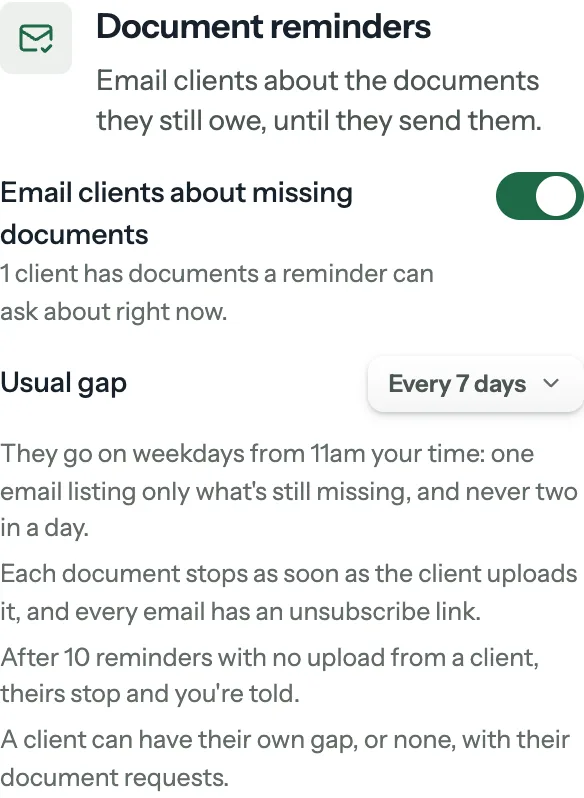
Reminders are off until your firm turns them on. Open Settings, then Notifications, and find Document reminders. The firm owner can do this, and so can a team member who can edit clients and see all of them.
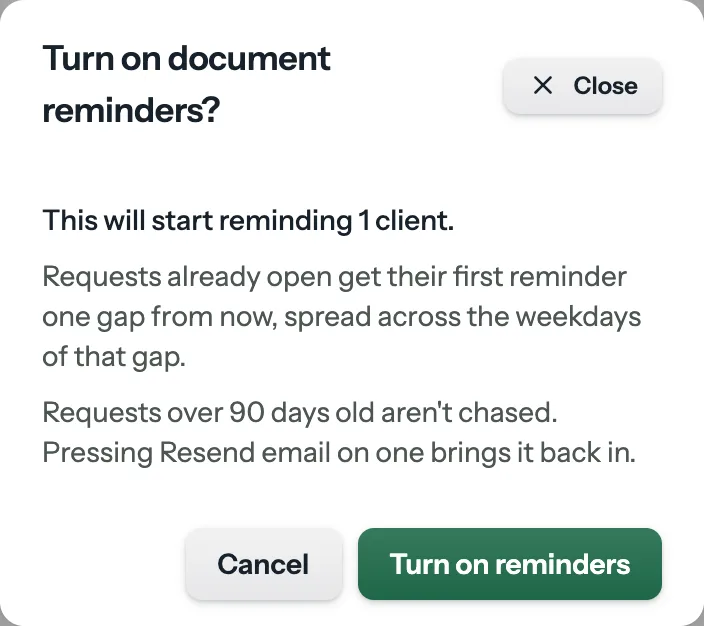
- Turn on Email clients about missing documents. Before anything goes, FinishTax tells you how many clients it would start reminding.
- Requests already open get their first reminder one to two gaps from now, spread across the weekdays in between, so no single morning carries them all.
- Requests over 90 days old aren't chased. Pressing Resend email on one brings it back in.
- Pick your usual gap, from 2 to 14 days. 7 is preselected.
Turning it off stops everything right away, and turning it on later sends no burst.
What your clients get
- One email listing only what's still missing, by name, with a link to upload. Something you sent back shows your note.
- They go on weekdays, from 11am on your firm's clock, and an address never gets two in a day. It's one email however many requests are open. If one person holds several client records, such as an owner and their LLCs, each document is labelled by client.
- The first comes one gap after the request was sent, and any request email restarts that client's gap, including a new request or a resend.
- They go to the request's own address, or the client's email if that's blank.
Only required documents are chased, on requests an automation made too. A request you're still holding isn't chased until you send it, and an optional document isn't unless you send it back. A due date neither starts nor stops reminders.
Set a client's gap
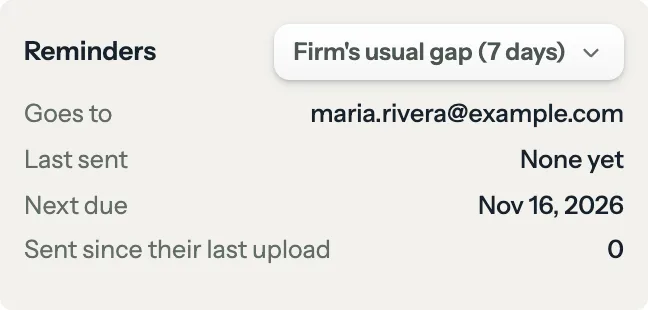
On the client's profile, open the Documents tab. Reminders sits with their document requests. Choose the firm's usual gap, their own gap from 2 to 14 days, or No reminders. Anyone who can manage that client's requests can change it.
It also shows where reminders go, when the last went, when the next is due, how many have gone since their last upload, and why they stopped if they did.
What stops them
- Each document stops as soon as the client uploads it, on its own. The others carry on.
- Any upload from the client restarts their gap. An upload not against a document closes nothing, since FinishTax can't tell what it is. You see that they uploaded something and can click Mark received.
- After 10 reminders with no upload, theirs stop and you get a notification. Changing their reminder setting, or Start reminders again, starts them again.
- Archiving a client or deleting a request stops them. A client with no email address is skipped, and their profile says so.
- If your plan ends they pause, and carry on without a burst when it comes back.
To close or reopen one document yourself, see Ask for a document again, or close it yourself.
When a client unsubscribes
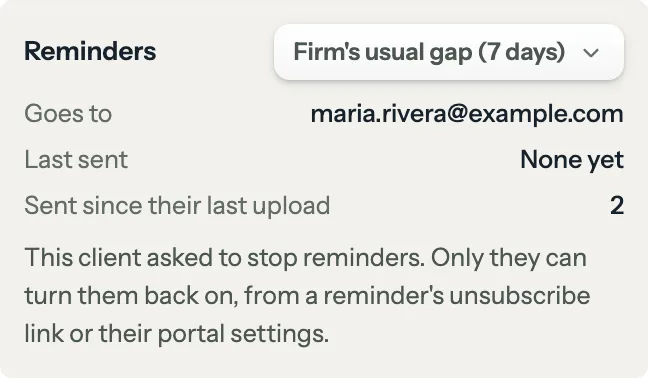
Every reminder has an unsubscribe link that works without signing in. It stops automatic reminders from your firm to that address, and nothing else: what a person at your firm sends still arrives, such as a new request, a resend or Not right, ask again.
You'll see that they asked to stop, and you can't turn them back on. They can, from the same link or from Email me reminders about documents I still owe in their portal settings. A client who has turned off Email me when your firm needs something in the portal doesn't get reminders either.
Refused mail and spam complaints
- If an address refuses mail, reminders to it stop and you're told. Correct the client's email if it's wrong, then click Start reminders again on their Reminders control.
- If a client marks a reminder as spam, reminders to that address stop and you're told. Your firm can't turn them back on. If the client wants them back, contact us.
Plan: Solo and up, during a trial too. Compare plans
Still stuck?
Email us what you were trying to do and where it stopped.