Ask for a document again, or close it yourself
What to do when a document a client sent isn't right, when you got it another way, or when you no longer need it, and what Resend email sends.
Where to find these
On a client's profile, open the Documents tab. Under Document requests, click a request to open it in place, or click Open requests for the full list. Each document shows what you can do with it.
These actions are on the web for now. Someone with view-only access to the client sees the documents and no actions.
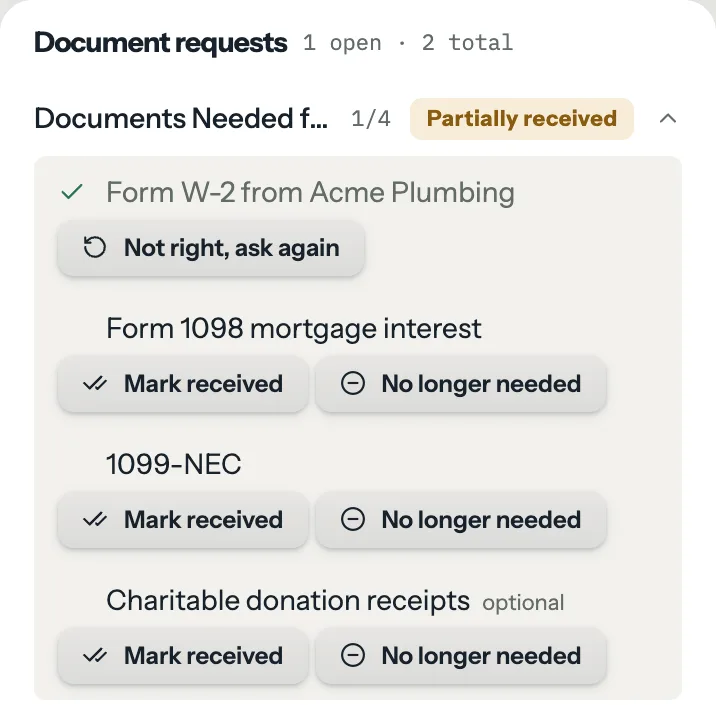
When a document isn't right
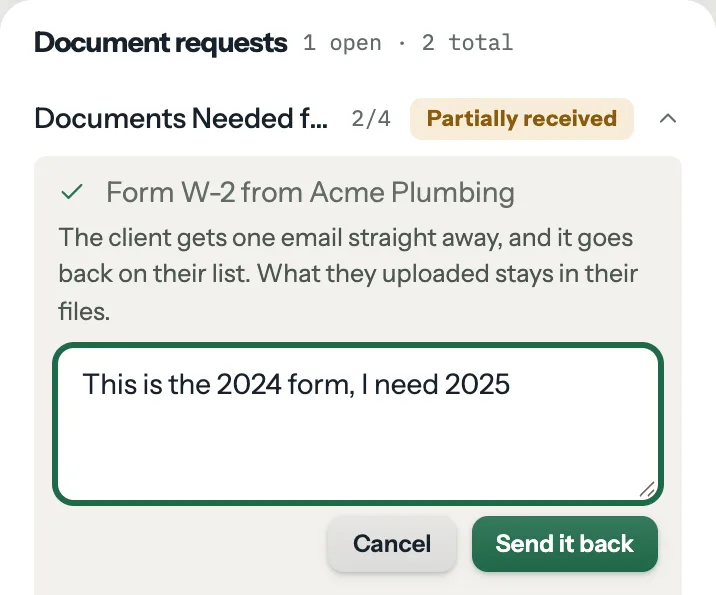
Click Not right, ask again on a document the client sent. You can add a note, such as "This is the 2024 form, I need 2025". Then click Send it back.
- The client gets one email straight away, with your note and a link to upload.
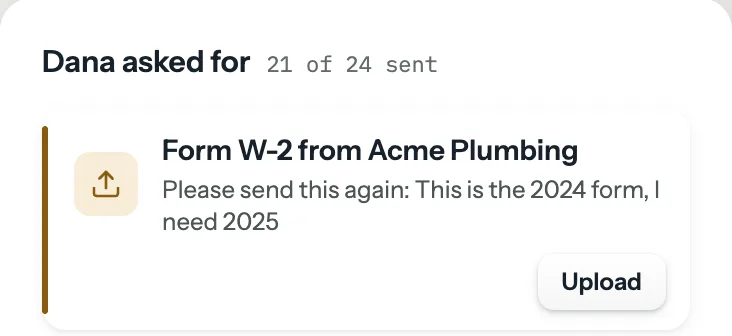
- The document goes back on their list. The portal and the upload page show "Please send this again" with your note.
- What they uploaded stays in their files. Nothing is deleted.
- The request's status follows, so a complete request reads Partially received again. An optional document sent back becomes required.
- When the replacement arrives, you're told again.
Automation rules for every requested document being in run once per request, the first time only. Sending a document back undoes nothing they did, and they don't run again for the replacement.
If the email can't be delivered, FinishTax says so and the document is still back on their list. Copy the upload link and share it another way.
When you got it another way
Click Mark received on an open document, such as a paper W-2 a client handed you. It closes at once and no email goes out.
- If the document is linked to the client's checklist, that row ticks too, and other open requests waiting on that row close with it.
- If it was the last one open, the request is complete and automation rules for every requested document being in run, once, as they would after an upload. You don't get a Documents received email, since you did this yourself.
When you no longer need it
Click No longer needed on an open document. It comes off the client's list and no email goes out. A request closed entirely this way completes quietly, with no automation rules.
To undo No longer needed, click Ask again on that document. To undo Mark received, click Not right, ask again. Both email the client, so there's no quiet way back.
What Resend email sends
Open the request and click Resend email, or Send email if it has never gone. The email lists only what's still missing, optional documents included. If nothing is missing, FinishTax says so and sends nothing.
Plan: Solo and up. Compare plans
Still stuck?
Email us what you were trying to do and where it stopped.