Who sends the messages
FinishTax (operated by OSO Corp, doing business as FinishTax) sends text messages on behalf of tax and accounting firms to their own clients. A firm uses FinishTax to run its practice; the messages are about that firm's work with its client. FinishTax never texts a person who has not opted in, and never sends marketing texts.
How a client opts in
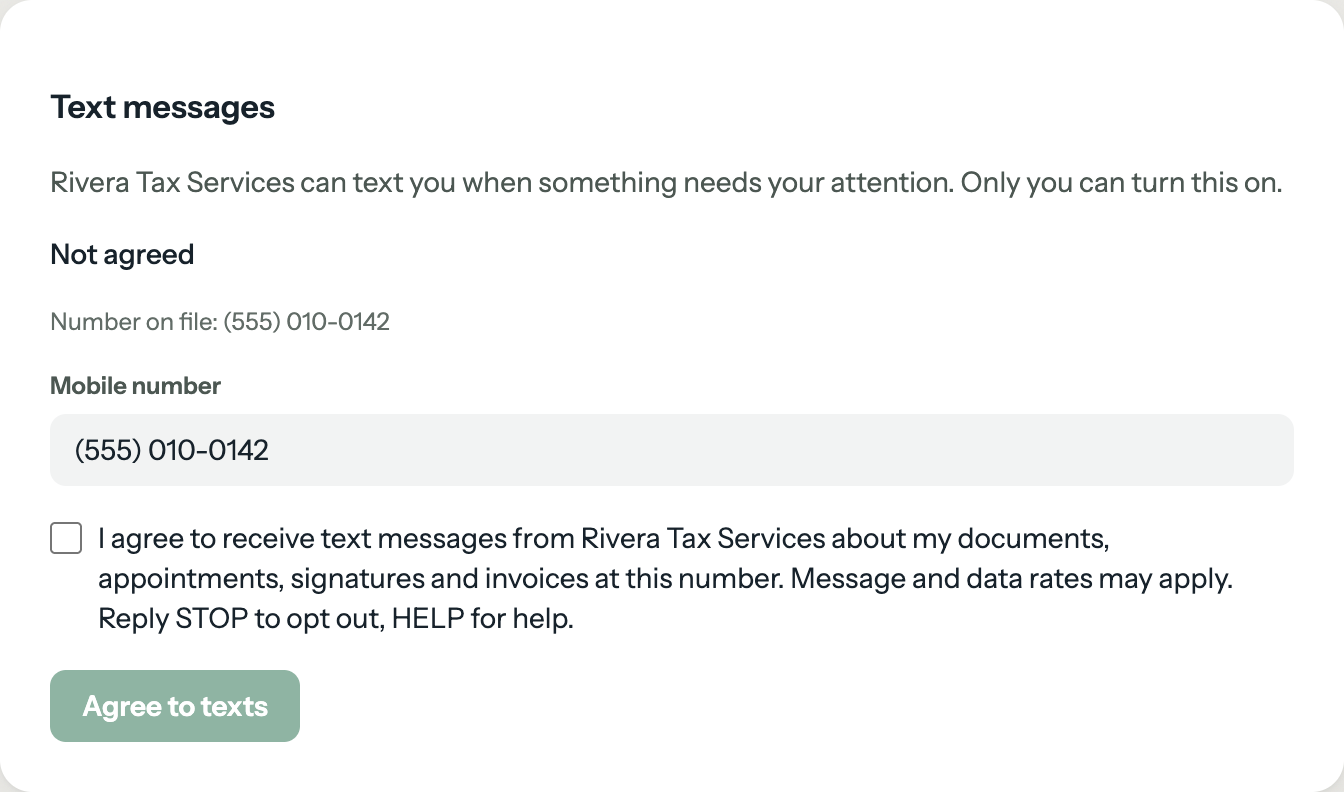
A client opts in from their own client portal, under Settings → Text messages. There they enter their mobile number and tick a box with this consent statement, where [firm name] is the name of their tax or accounting firm:
I agree to receive text messages from [firm name] about my documents, appointments, signatures and invoices at this number. Message and data rates may apply. Reply STOP to opt out, HELP for help.
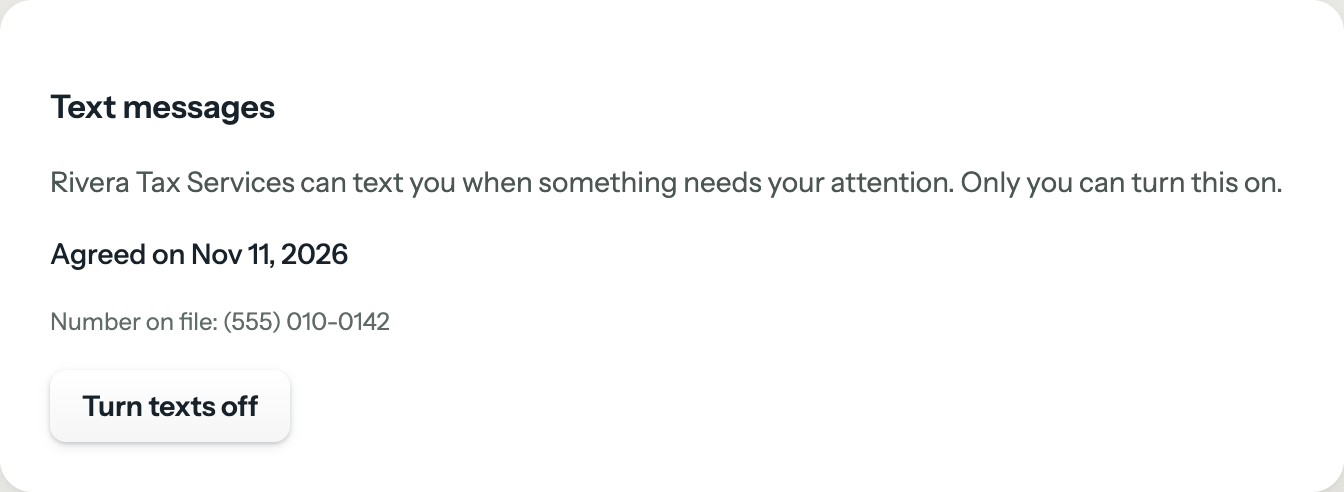
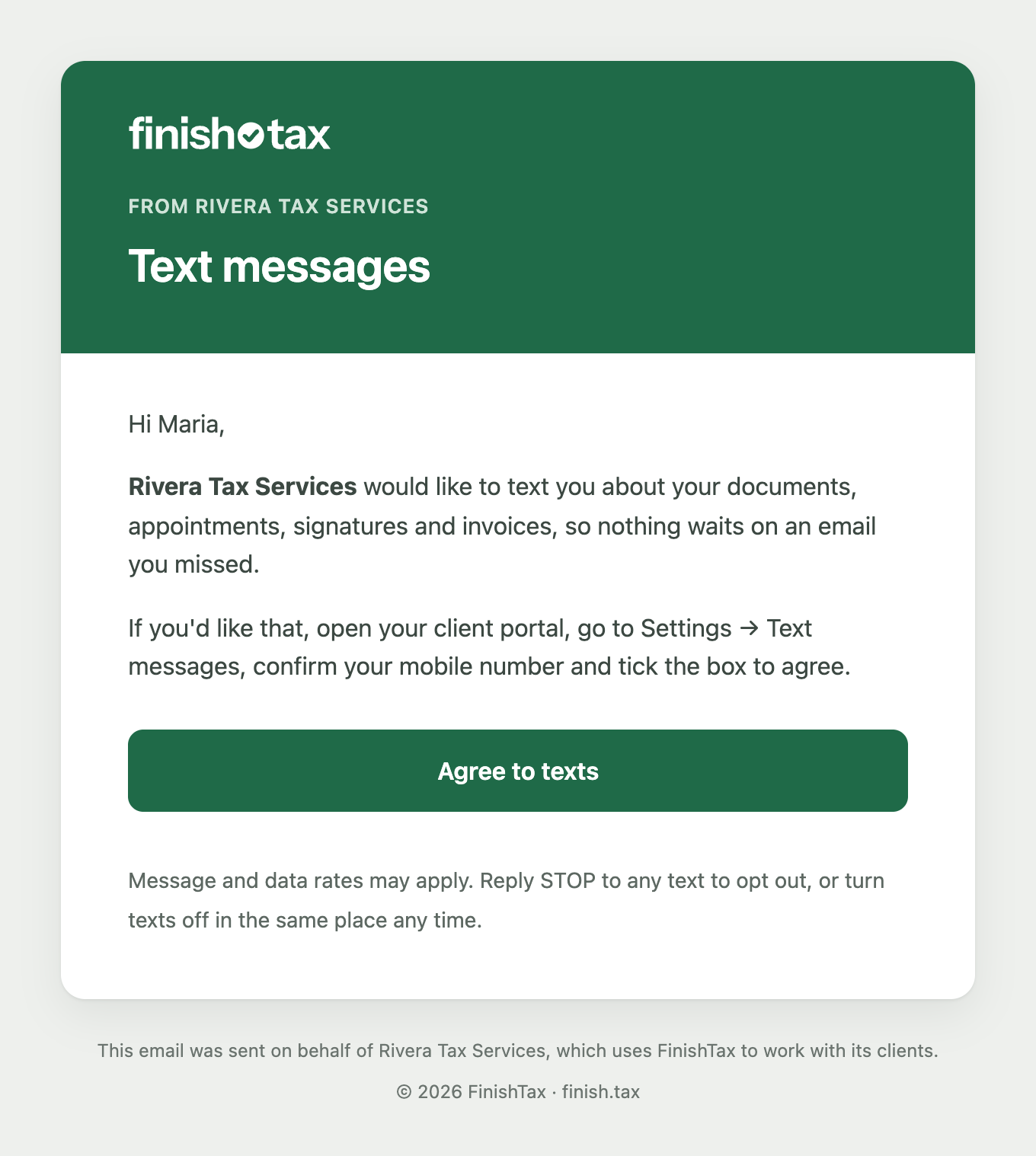
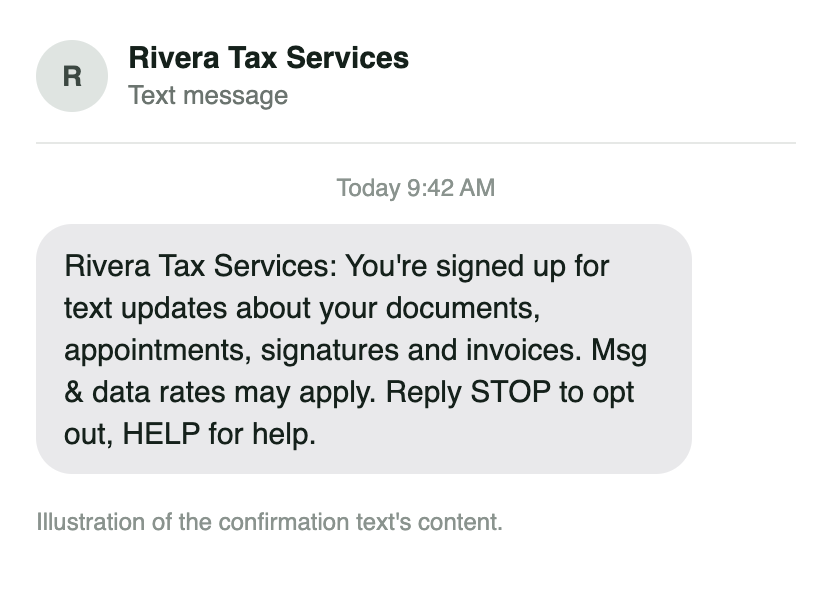
Only the client can agree. A firm can email its client a link to that section of the portal, but cannot opt a client in on their behalf. When a client agrees, FinishTax records the mobile number and the time of consent, and sends one confirmation text.
What the client sees
The screens below are the client portal and the messages exactly as FinishTax shows them, with a sample firm (Rivera Tax Services) and a sample client.
What the messages are about
- Documents the firm needs, and documents the firm has made available
- Appointment reminders
- Documents waiting for a signature
- Invoices and payment
- Replies to a text the client sent the firm
Message frequency varies with the activity on the client's account. Every message starts with the firm's name.
Rates, stopping and help
- Message and data rates may apply.
- Reply STOP to any message to stop receiving texts. A client can also turn texts off in their portal under Settings → Text messages, at any time.
- Reply HELP to any message for help; the reply names the firm and how to reach it.
- Carriers are not liable for delayed or undelivered messages.
Privacy
The mobile number, the time of consent and the message log are used only to send and record these messages. We do not sell or share your SMS opt-in data or personal information with third parties for marketing purposes. See the Privacy Policy and the SMS Terms in our Terms of Service.
Contact
Questions about text messages sent through FinishTax? Email contact@finish.tax.